Creating a REST Connection: Trigger vs Invoke
Creating a REST Connection: Trigger vs Invoke
OIC terminology always mixes me up. When we want to call an external web service from Oracle Integration Cloud, we Invoke a connection. But when we use OIC to expose a web service for another third party platform to consume or call, we are exposing a trigger.
After logging into your OIC instance, navigate to Integrations > Connections, then click Create.

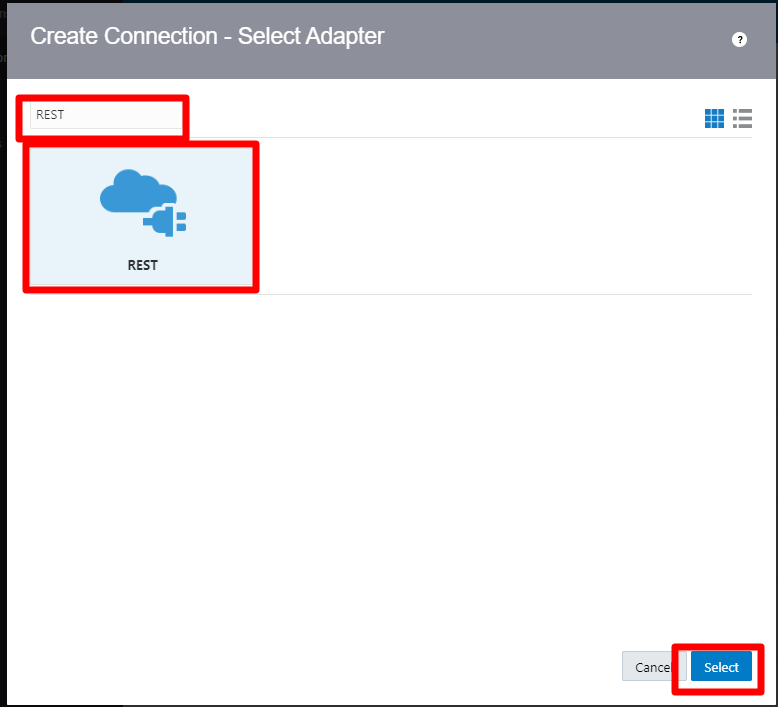
Scroll through or search for a REST connection, then select it.
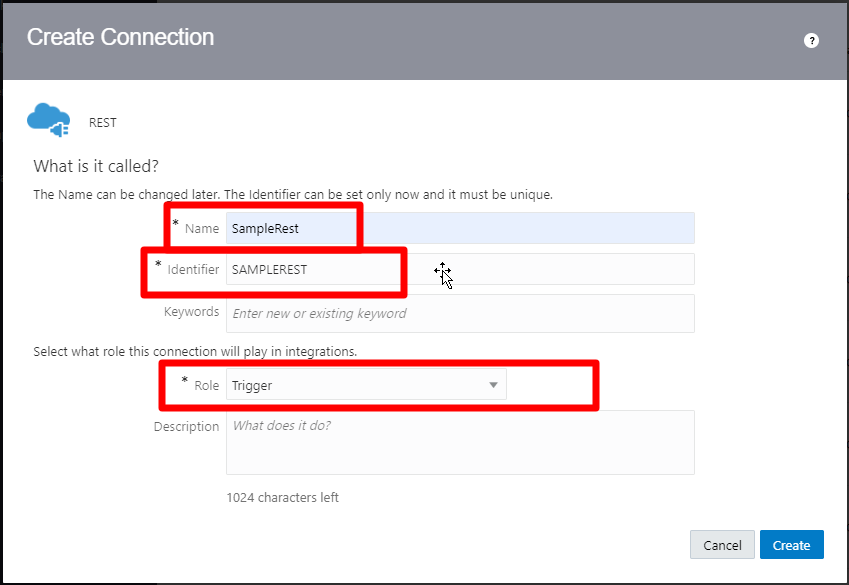
When the create connection dialogue box opens, give the connection a name and an Identifier, then click create. In many cases, you will select this as a trigger and an Invoke. In this case, we only want to expose a way for other services to kick off, or trigger, an OIC process, so we will only select the trigger role. This doesn't ever matter with FTP or DB connections, because the connection details are the same. However, with a trigger REST connection, we don't need to define the method, or the parameters, or the payload, because all of that is defined within the orchestration. For invoke connections, we need to specify more information, like the address of the web service we are connecting to.
As I mentioned above, we will define all of the connection information including the payload, template and query parameters later. For now, we only need to specify the security policy.
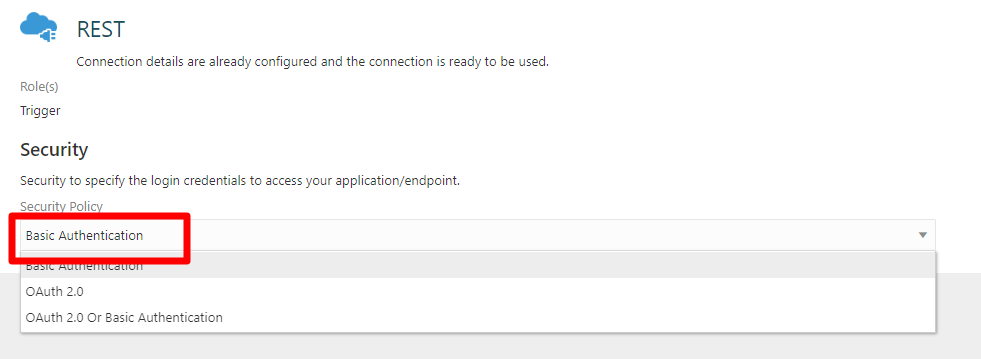
That's it, you are done.
Invoke connections require a little more information. The reason here is that you define security within the connections. While all trigger connections will authenticate with OIC, all invoke connections will authenticate with different external APIs. Let's use the following API as an example: http://jservice.io/api/random, which provides random trivia. The payload that is retuned is not important at this point. If we wanted to create an invoke connection for this connection, we would create a connection like we did above, only selecting the invoke option.
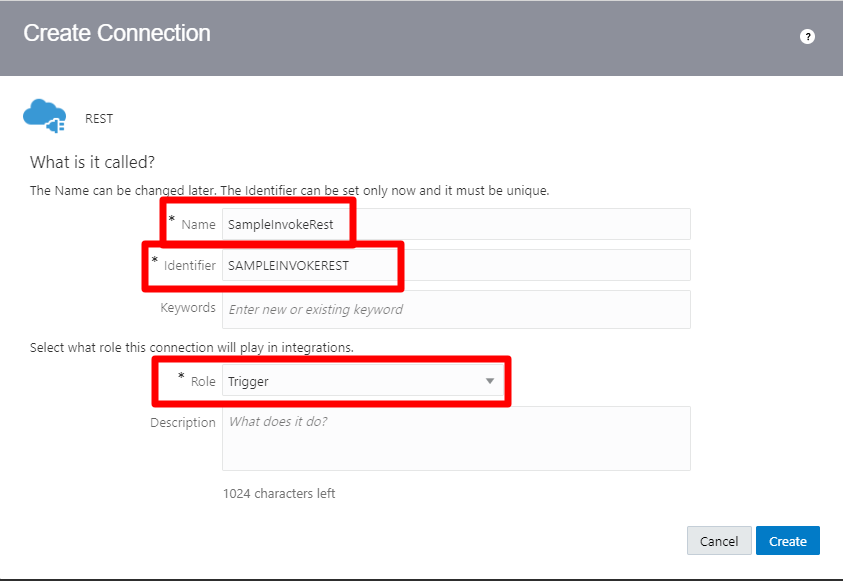
Now the creation screen gives more option, including the URL that we are connecting to, along with a few other items. In this case, we have a Base URL that we will be calling, so we will use that as the connection type, which requires a connection URL.
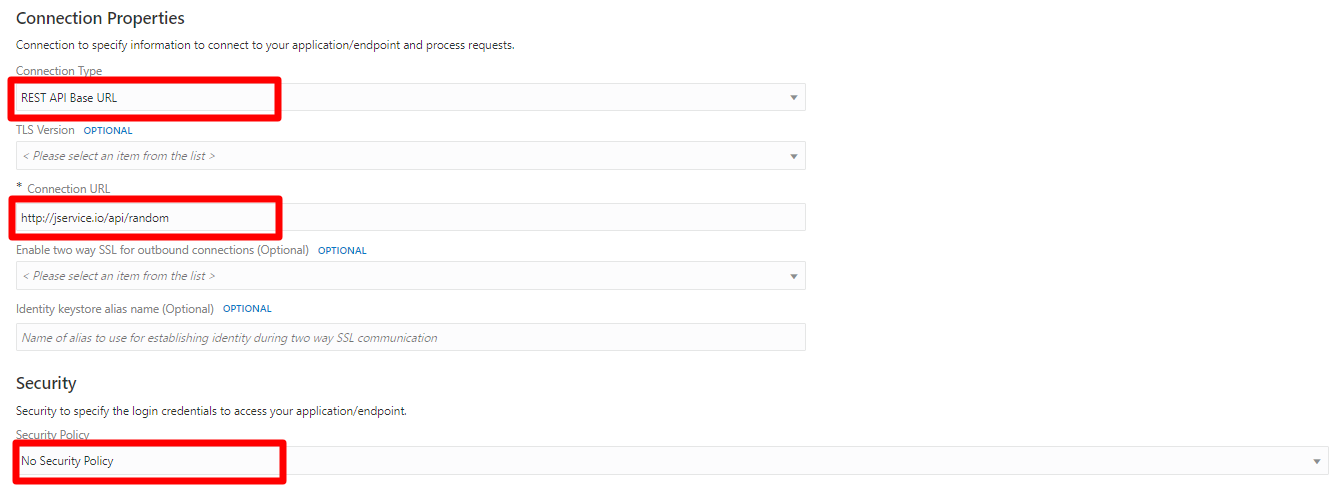
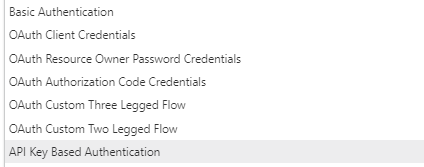
The last mandatory piece of information is Security. The API we are using has no security policy, but the normal authentication mechanisms are available.
One important note, is that the URL can be just the base URL or a full or partial path. When you call the Invoke within an orchestration, you can specify the rest of the path. So if, there was another URL that had the same base URL, http://jservice.io/api/movietrivia for example, we could place http://jservice.io/api into the connection, and then within the orchestration we would specify /movietrivia or /random.