Generating Payloads with Conditional Attributes
Generating Payloads with Conditional Attributes
Sometimes we need to call a web service with payloads where the payload contains different attributes based on certain criteria. In some cases, that's as easy as setting up some conditional if/then logic to determine the value of an attribute. Some real world examples might include scenarios where a clothing item needs to have a size attribute when it is placed in a shopping cart, but food items may need to have expiration and ingredient attributes when placed in the same shopping cart. With OIC, we can enable this using XSLT logic within the mapping. First, let's define a specific scenario. Let's say that we can pass in the following payload:
{
"Value": "123",
"conditionalValue_YN": "N"
}
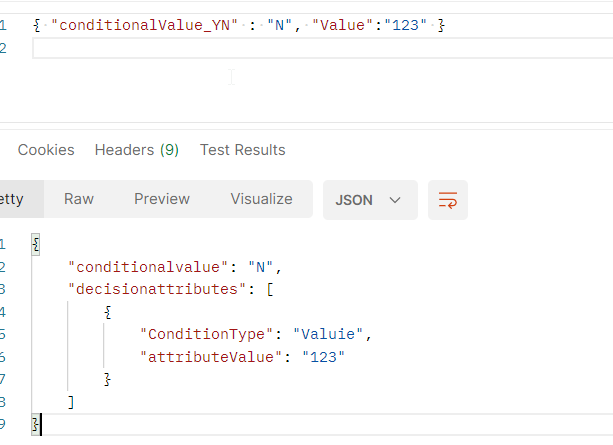
If conditionalValue has a value of N, we should get back:
{
"conditionalvalue": "N",
"decisionattributes": [
{
"ConditionType": "Value",
"attributeValue": "123"
}
]
}
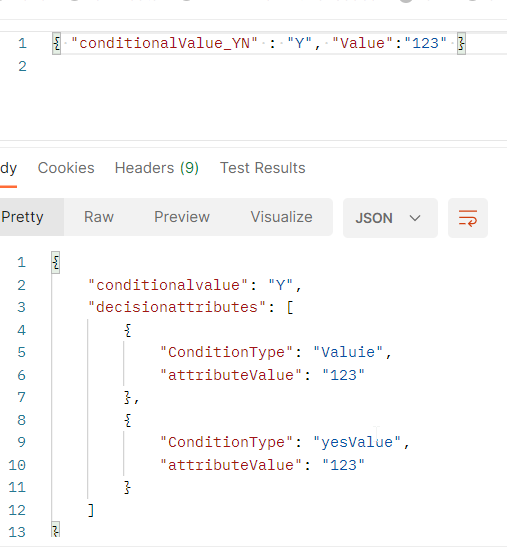
But conditionalValue has a value of Y, we need an additional attribute included in the response.
{
"conditionalvalue": "Y",
"decisionattributes": [
{
"ConditionType": "Value",
"attributeValue": "123"
},
{
"ConditionType": "yesValue",
"attributeValue": "123"
}
]
}
First, when you define the response payload, you will need to define the most complex version of the JSON that is possible, which in this case is the second response above. Then, in the mapper, we to make use of the XSLT tools within the mapper.
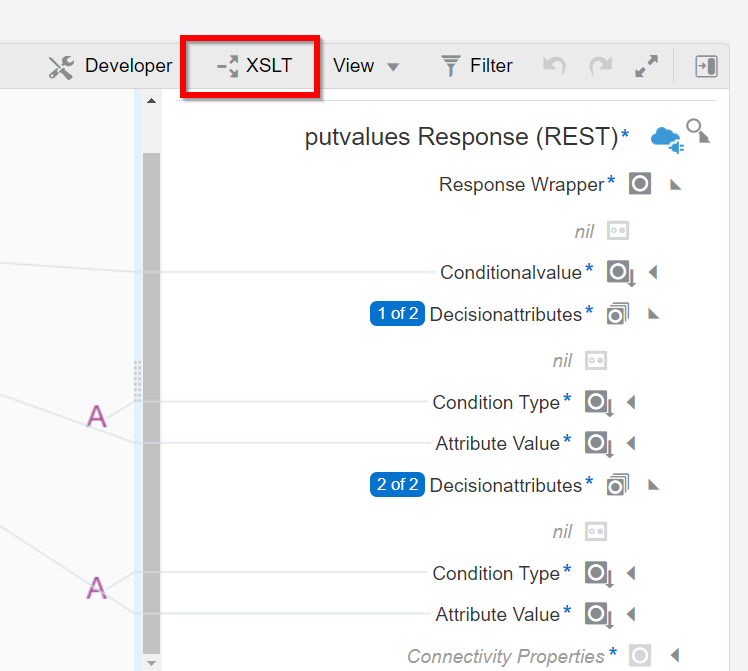
Now, when you click on the components pallet, you should have an XSLT section.
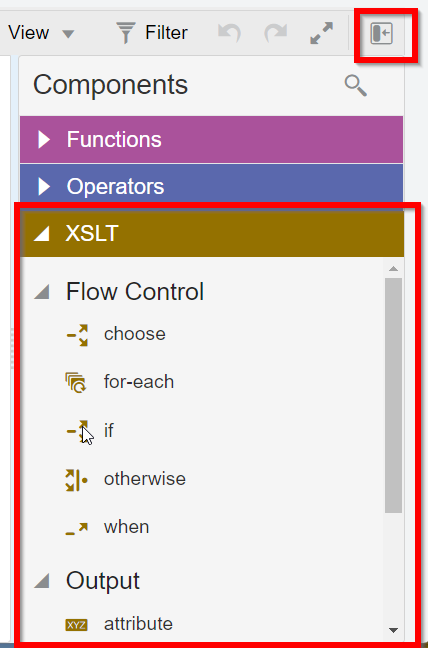
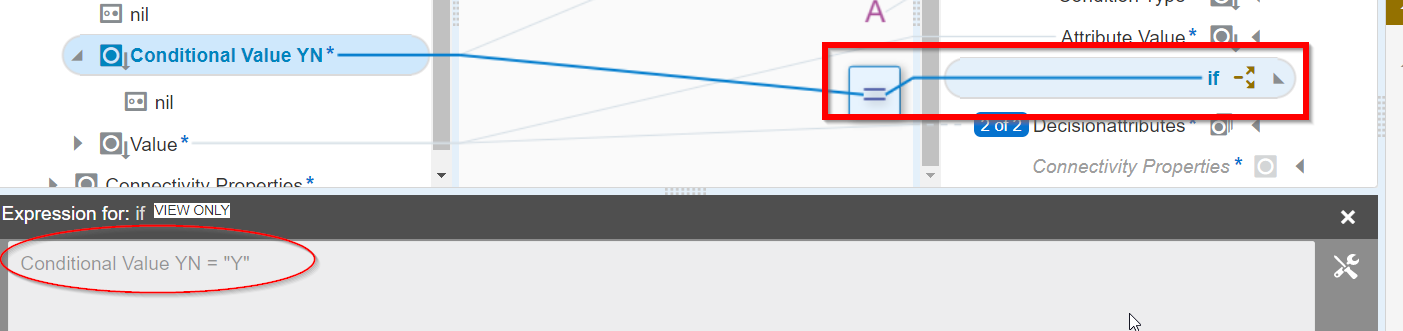
Drag the If operator and position above the section that you want to conditionally include

Now, when you click on the expression for the 'if' operator, you can enter the log for when those sections should be included. In my case, this section should show when the value we pass in is = 'Y'
And now we can test this out to make sure that when we pass in Y, the payload has additional attributes than when we pass in N.
N
Y